

HIPAA-Ready Managed Helpdesk: Checklist for Healthcare IT Support in America
HIPAA Managed IT Helpdesk Support Checklist: Protect Patient Data Today
Selecting a HIPAA managed IT helpdesk support checklist is non-negotiable for US healthcare providers. Your helpdesk partner handles sensitive Protected Health Information (PHI) daily—from patient records to billing systems. Without compliance verification, your organization faces HIPAA violations costing $100–$50,000+ per incident. This guide walks you through essential compliance checkpoints before signing any MSA.
1. Verify SOC 2 Type II Certification and BAA Requirements
Start with SOC 2 Type II certification. This audit framework proves your helpdesk provider controls security, availability, and confidentiality across US operations (especially us-east-1 datacenters). Require:
- Current SOC 2 Type II report—issued within 12 months, covering at least 6 months of controls testing
- Business Associate Agreement (BAA)—legally mandated for any vendor touching PHI under 45 CFR §164.504
- Subprocessor disclosure—identify all third-party vendors and their BAA status
- Incident response procedures—document how breaches are reported within 60 days per HIPAA Breach Notification Rule
Techtweek Infotech provides BAA-signed managed helpdesk services with full SOC 2 Type II documentation, ensuring your healthcare organization avoids liability gaps.
2. Confirm NIST CSF 2.0 and FedRAMP Alignment
The NIST Cybersecurity Framework 2.0 is the gold standard for US federal and regulated healthcare entities. Your helpdesk partner should map controls to:
- Govern function—policies, risk management, supply chain oversight
- Protect function—access controls, encryption, identity management
- Detect function—threat monitoring, vulnerability scanning, SIEM integration
- Respond function—incident triage, forensics, stakeholder communication
- Recover function—business continuity, disaster recovery, RTO/RPO commitments
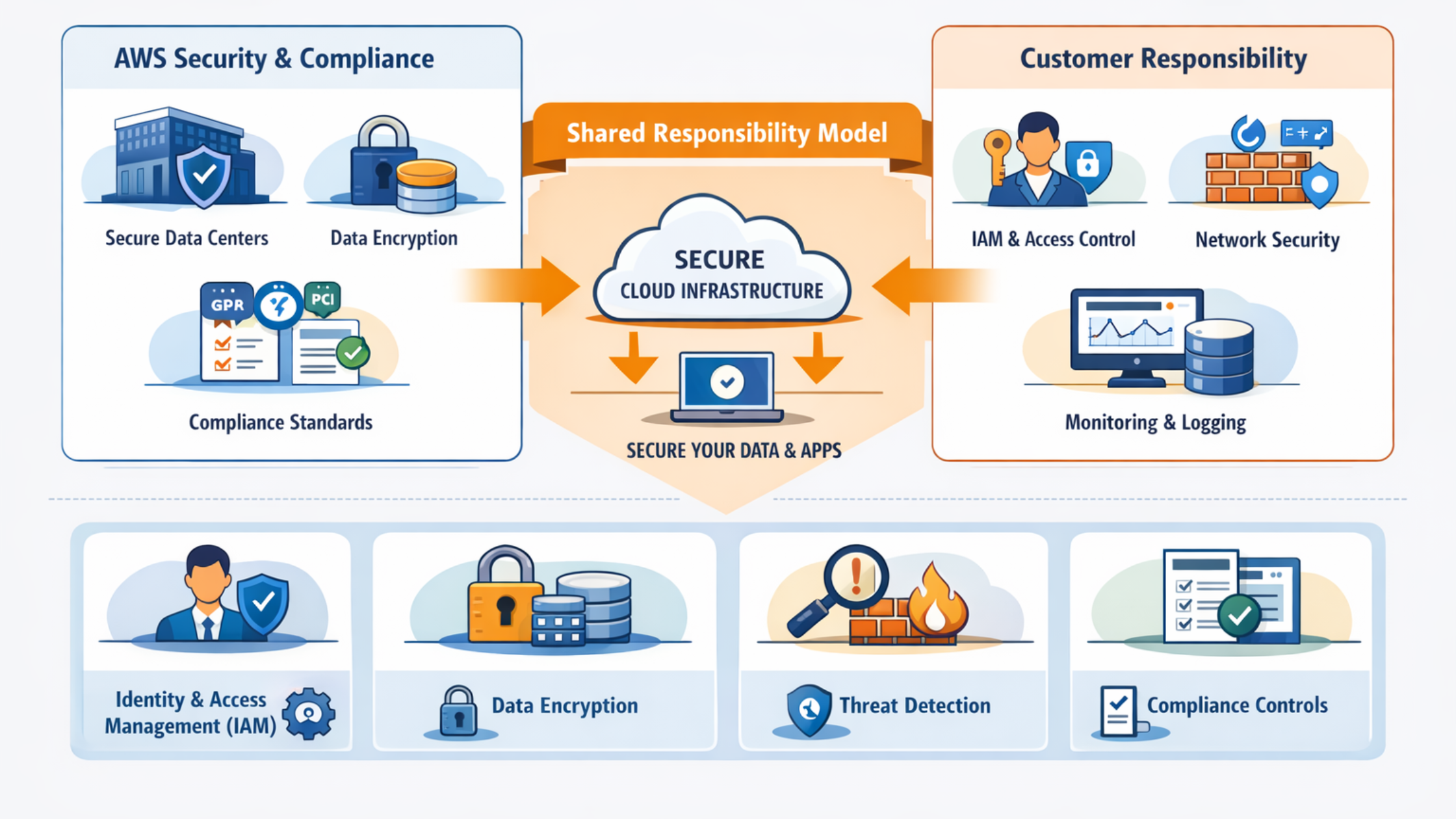
If your healthcare organization qualifies as a FedRAMP moderate vendor (e.g., telehealth serving Veterans Health Administration), demand FedRAMP readiness documentation. Techtweek, as an AWS Advanced Consulting Partner, leverages AWS GovCloud (us-gov-west-1, us-gov-east-1) for regulated workloads, enabling FedRAMP-aligned infrastructure.
3. Audit Encryption, Access Control, and Logging Standards
HIPAA’s Security Rule (45 CFR §164.300–312) mandates:
- Encryption at rest—AES-256 for all PHI databases, file shares, and backups; verify key management compliance with HIPAA §164.312(a)(2)(i)
- Encryption in transit—TLS 1.2+ for all helpdesk ticketing, remote access (RDP/SSH), and knowledge base communications
- Role-based access control (RBAC)—helpdesk agents access only tickets assigned; segregate clinical vs. billing data
- Multi-factor authentication (MFA)—required for all remote support sessions and admin access
- Audit logging—immutable logs capturing who accessed what, when, and why; retained for 6+ years per state medical record laws
- Automatic session timeouts—enforce 15-minute inactivity lockout on shared support terminals
Request a sample audit log export from your prospective helpdesk vendor to verify logging granularity.
4. Evaluate CCPA and State Privacy Law Readiness
Beyond HIPAA, US healthcare organizations must honor California Consumer Privacy Act (CCPA) and similar state laws (Texas HB 4, Virginia VCDPA). Your helpdesk vendor should:
- Confirm data residency—no cross-border transfers to non-compliant regions
- Document data deletion procedures—ensure patient data is purged within 45 days of request
- Provide breach notification templates—California Business & Professions Code §1798.82 requires notification within 30 days
- Support privacy-by-design—helpdesk staff trained on minimizing PHI exposure during support sessions
5. Validate Follow-the-Sun Operations and US-Based Support Teams
24/7 managed helpdesk support requires distributed teams across US time zones. Verify:
- Staff location—confirm technicians are US-based (or BAA-compliant overseas vendors with SOC 2); no unauthorized offshore handling of PHI
- Follow-the-sun coverage—ensure coverage across Eastern (us-east-1), Central, Mountain, and Pacific zones
- Training documentation—require proof of HIPAA Compliance Training, NIST CSF modules, and annual security certifications for every support agent
- Background checks—demand fingerprint-based screening for all technicians with PHI access
Techtweek operates 24/7 follow-the-sun support with US-based Security Operations Centers (SOCs), eliminating offshore risk for healthcare clients.
6. Request Incident Response and Breach Notification SLAs
HIPAA Security Incident Procedures (45 CFR §164.308(a)(6)) demand rapid response. Contract language should include:
- Initial incident acknowledgment within 1 hour (critical severity)
- Forensic investigation initiated within 4 hours
- Breach notification draft within 24 hours
- Root cause analysis and remediation plan within 10 business days
- Six-month risk assessment post-incident, shared with your compliance officer
7. Confirm Disaster Recovery, Backup, and Business Continuity
Healthcare downtime costs $5,600+ per minute. Require:
- RTO (Recovery Time Objective)—maximum 4 hours for helpdesk ticket system restoration
- RPO (Recovery Point Objective)—maximum 1-hour data loss tolerance for ticket databases
- Backup frequency—continuous or hourly snapshots across geographically diverse us-east-1 availability zones
- DR test results—quarterly failover drills with documented pass/fail outcomes
Review the vendor’s disaster recovery plan (DRP) and request a reference call with another healthcare provider who has tested failover.
Conclusion: Create Your Compliance Checklist Today
Before signing with a HIPAA managed helpdesk provider, audit all seven areas above. Use this checklist as your procurement template. Techtweek Infotech has guided 100+ US healthcare organizations through HIPAA-compliant managed IT support, combining AWS Advanced Partner infrastructure with healthcare-grade SOC 2 Type II controls and FedRAMP readiness. Contact our compliance team to review your current helpdesk gaps.
Frequently Asked Questions
What is a Business Associate Agreement (BAA), and do I need one with my helpdesk vendor?
A BAA is a legal contract required by HIPAA (45 CFR §164.504) when any vendor touches PHI. Your helpdesk partner must sign a BAA before accessing patient data, tickets, or healthcare systems. Without it, your organization is liable for breaches.
Can a helpdesk vendor be offshore under HIPAA if they have SOC 2?
HIPAA does not explicitly ban offshore vendors, but overseas staff accessing PHI create liability risk. Require BAA coverage, SOC 2 Type II, and documented security controls. Many healthcare providers prefer US-based teams to reduce risk and ensure compliance audits remain domestic.
How often should my helpdesk vendor audit HIPAA compliance?
SOC 2 Type II audits occur annually or semi-annually. Request compliance reports quarterly. HIPAA requires annual risk assessments (45 CFR §164.308(a)(1)(ii)(i)). Review audit findings with your compliance officer and request remediation timelines for any gaps.
What is the difference between HIPAA and NIST CSF 2.0 for healthcare IT?
HIPAA is the legal requirement for healthcare data protection. NIST CSF 2.0 is a framework for implementing security controls. Vendors using NIST CSF 2.0 align with federal standards, making compliance audits easier and reducing risk across Govern, Protect, Detect, Respond, and Recover functions.
How do I verify my helpdesk vendor’s encryption standards meet HIPAA?
Request technical documentation confirming AES-256 encryption at rest and TLS 1.2+ in transit. Ask for third-party penetration test results. Review their SOC 2 Type II report, specifically the ‘Encryption and Key Management’ control section to confirm compliance with 45 CFR §164.312(a)(2)(i).
Read the full guide: Managed IT Helpdesk Support in USA.